Help · Set up your link · by provider · 3 min read
Set up a reusable Teams link
Teams' "Create a meeting link" makes a persistent join link you can reuse.
In Teams, Create a meeting link generates a reusable link that stays saved under your Meeting links — no calendar event needed.
1
Create a meeting link
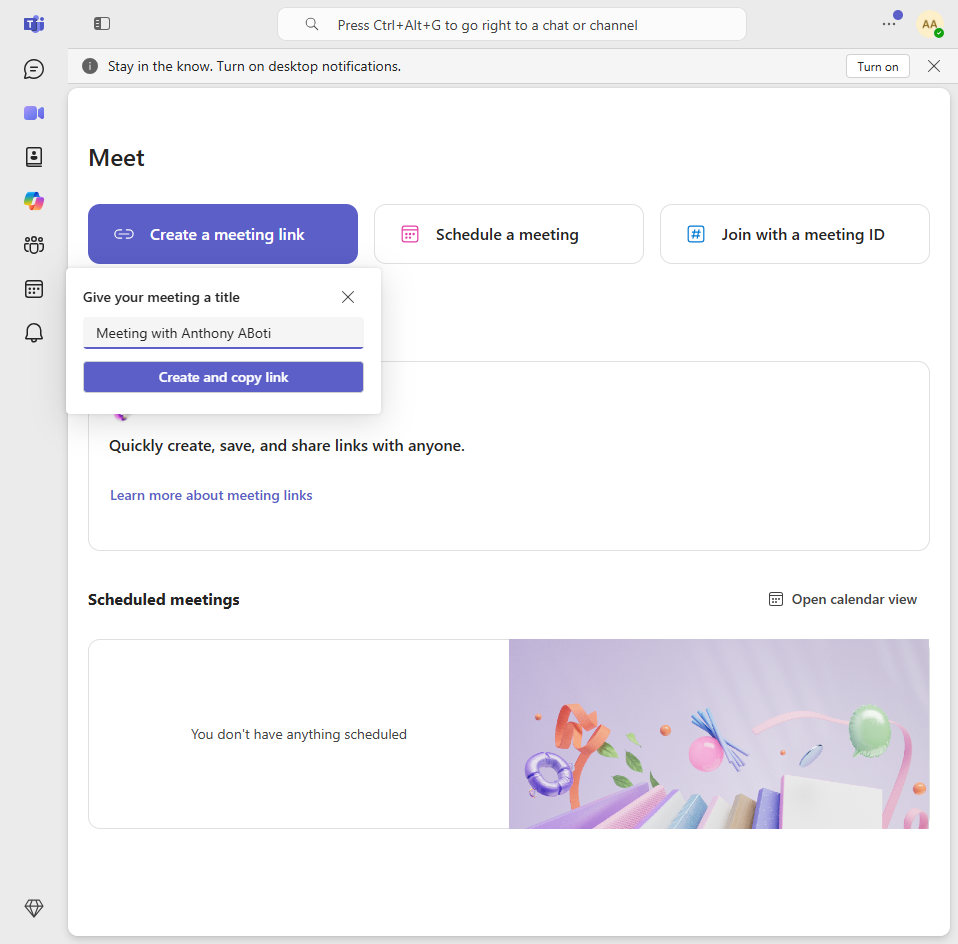
Open Teams → Meet → Create a meeting link, give it a title, and click Create and copy link.
2
Grab the link anytime
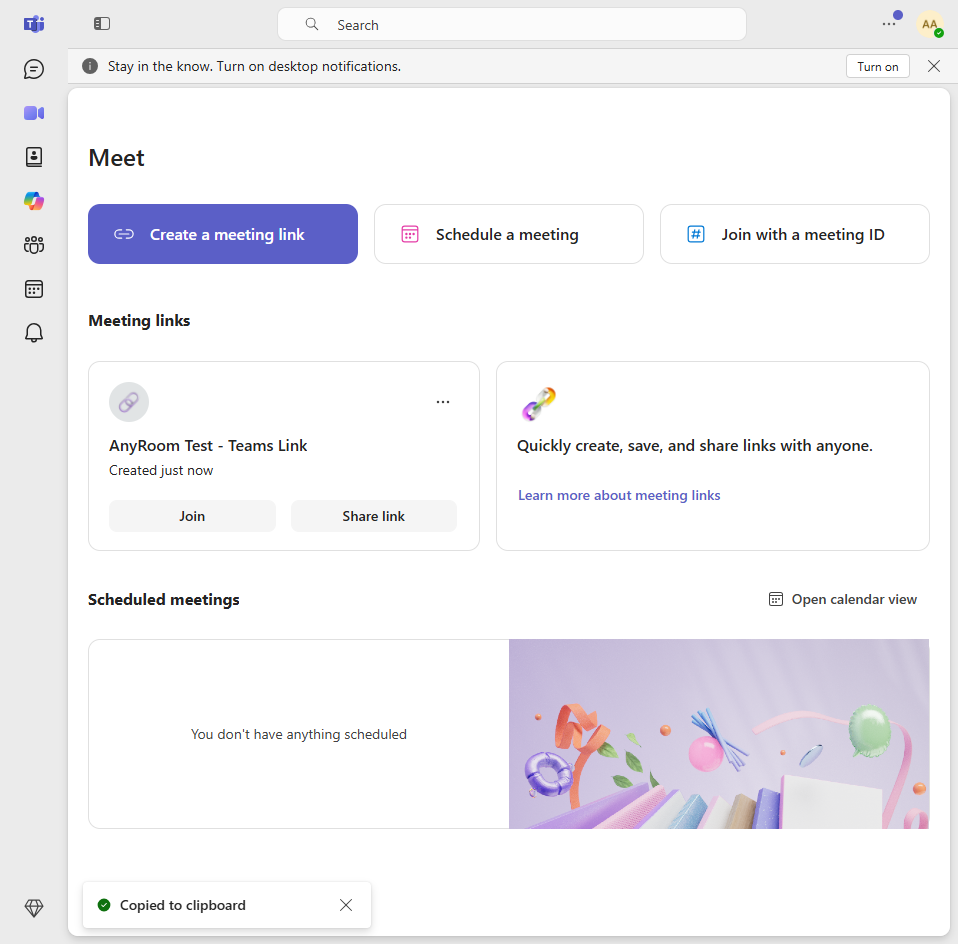
Your link is saved in the Meeting links list — use Share link to copy it again whenever you need it.
3
Paste it into AnyRoom
Paste whatever Teams gives you — long or the short
teams.live.com/meet/… form — don't edit it.Good to know
A Teams link can expire if it goes unused for ~60 days (using it renews the clock). Free Teams caps meetings at 60 min.