Help · Set up your link · by provider · 3 min read
Set up a reusable Zoom link
A Zoom "recurring, no fixed time" meeting gives you one permanent join link.
Zoom's reusable link is a recurring meeting set to "No Fixed Time" — a permanent link that isn't tied to a single date. Set it up once.
1
Schedule a meeting
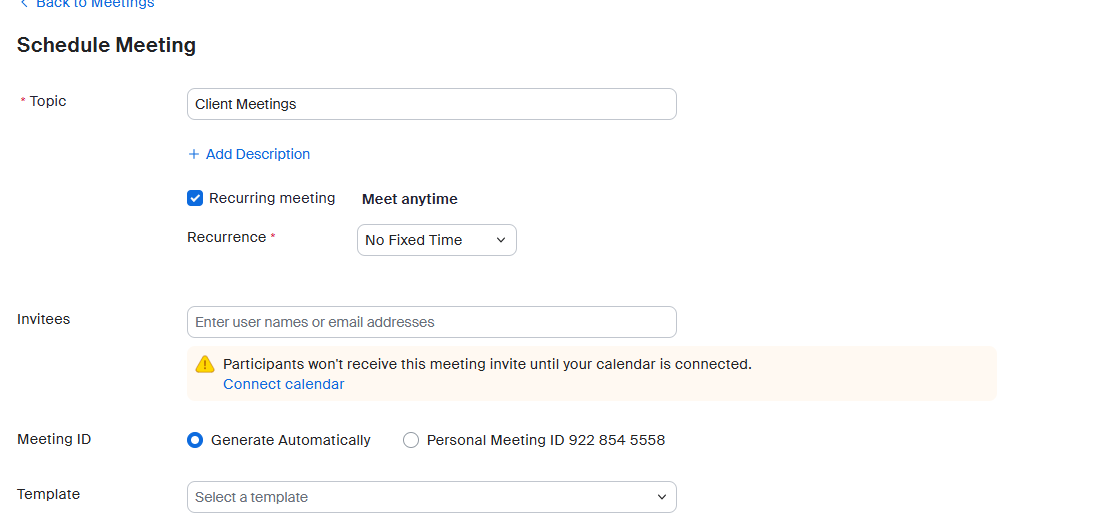
Sign in at zoom.us, open Meetings → Schedule a Meeting, and give it a topic.
2
Make it recurring, no fixed time
Check Recurring meeting, then set Recurrence → No Fixed Time. Leave the Passcode on and turn on Waiting Room in Security.
3
Save, then copy the Invite Link
Click Save. On the meeting page, copy the Invite Link (
https://…zoom.us/j/…).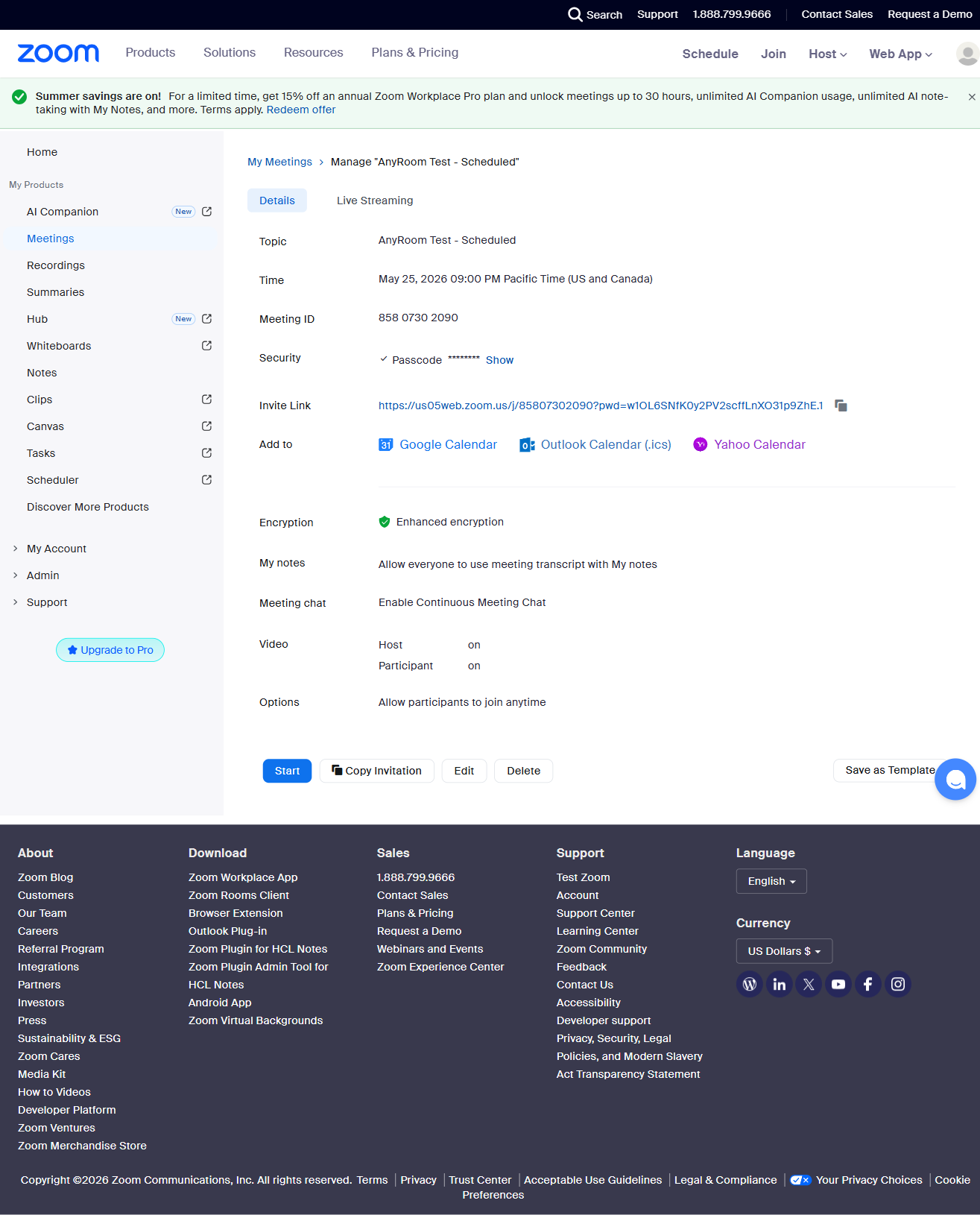
4
Paste it into AnyRoom
Open your meeting and paste it into Add link. Done — every meeting now runs behind your branded page.
Good to know
Free Zoom caps every meeting at 40 minutes. Prefer this recurring link over your personal PMI — the PMI is your identity and harder to rotate if it leaks.