Help · Teams (business) · 3 min read
Shared team branding & locks
Set one brand kit for the whole team — and lock the parts you want consistent.
A Team has a shared brand kit — a logo, a background, colors, and social/links — that every member's page can use. You decide which parts members can change and which are locked to keep the brand consistent.
1
Set the team's look
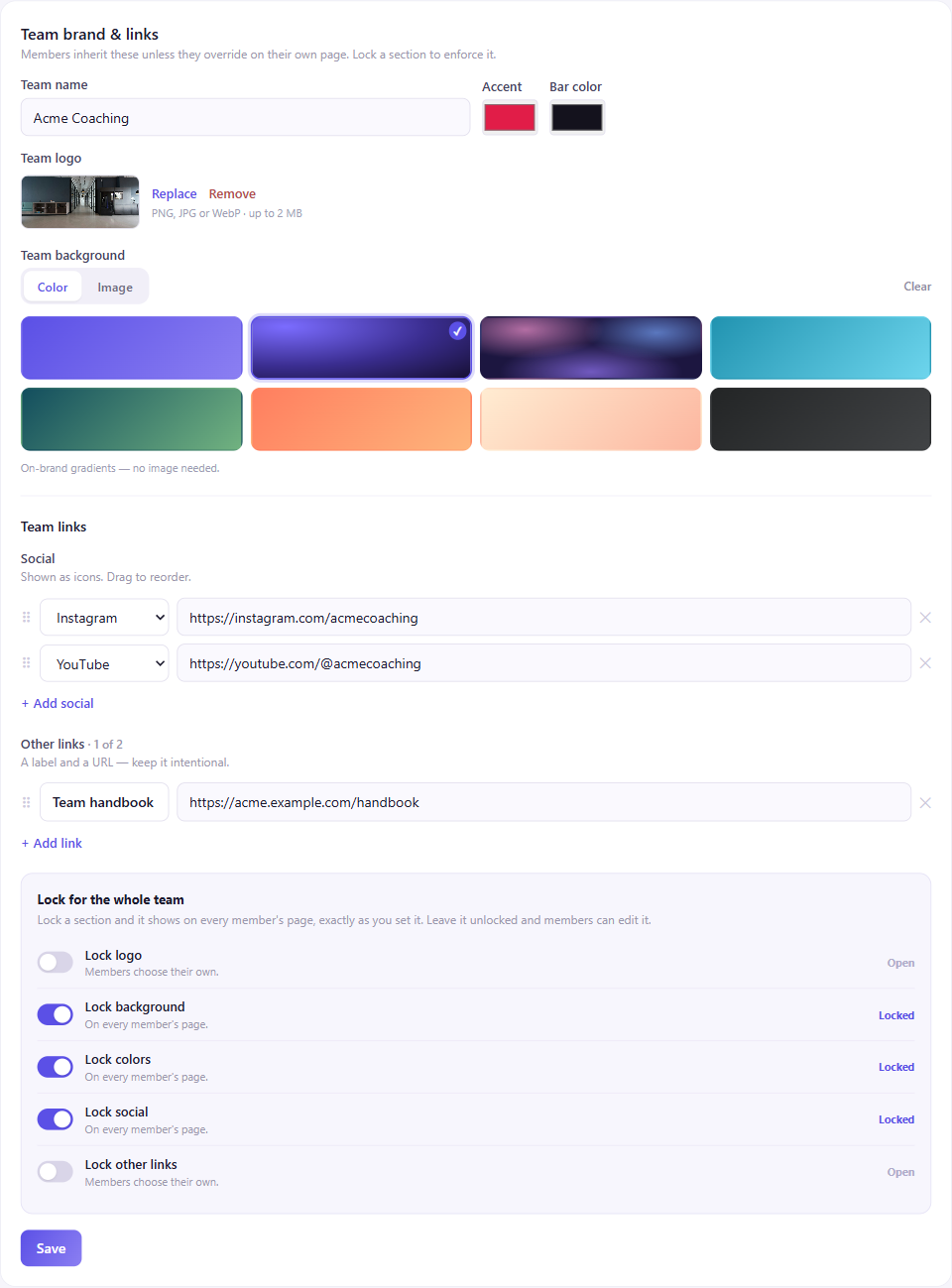
In the Team console, the Team brand & links card has a team logo and background (upload or pick a preset, just like a personal page), accent and bar colors, and team links (social icons + links).
2
Lock what should stay consistent
Under Lock for the whole team, flip a toggle for any section — logo, background, colors, social, or other links. Locked means "on every member's page, exactly as you set it." Open means "members choose their own." Lock some and leave others open — they're independent.
3
How members experience it
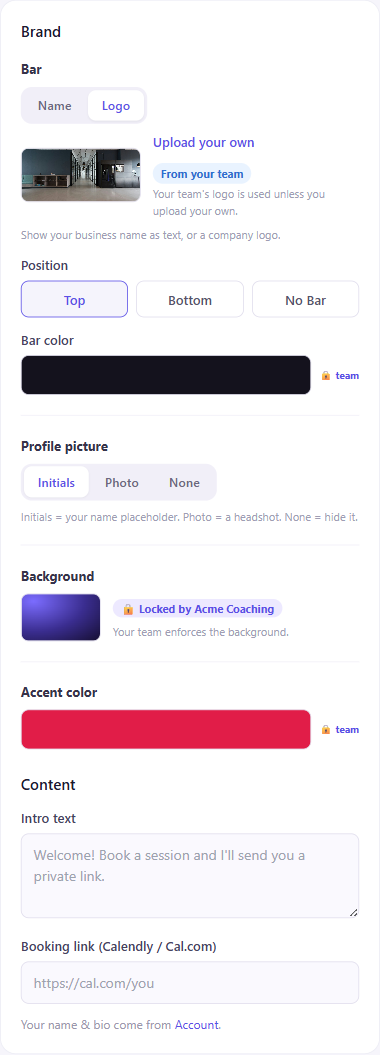
On a member's own page builder, an unlocked team asset shows up as a "From your team" default they can keep or override with their own. A locked section is read-only, marked "Locked by {your team}" — their own choice is kept and quietly returns if you ever unlock it.
Profile pictures stay personal
A team can share a logo, background, colors, and links — but profile pictures are always the member's own (their headshot or initials). A shared headshot wouldn't make sense.