Help · Meetings & meetings · 2 min read
Start a meeting
When it's time, open your own meeting and hit Start — no hunting for where the button lives.
You never have to remember where your video app's "Start" button is. Open your AnyRoom meeting and start from there.
1
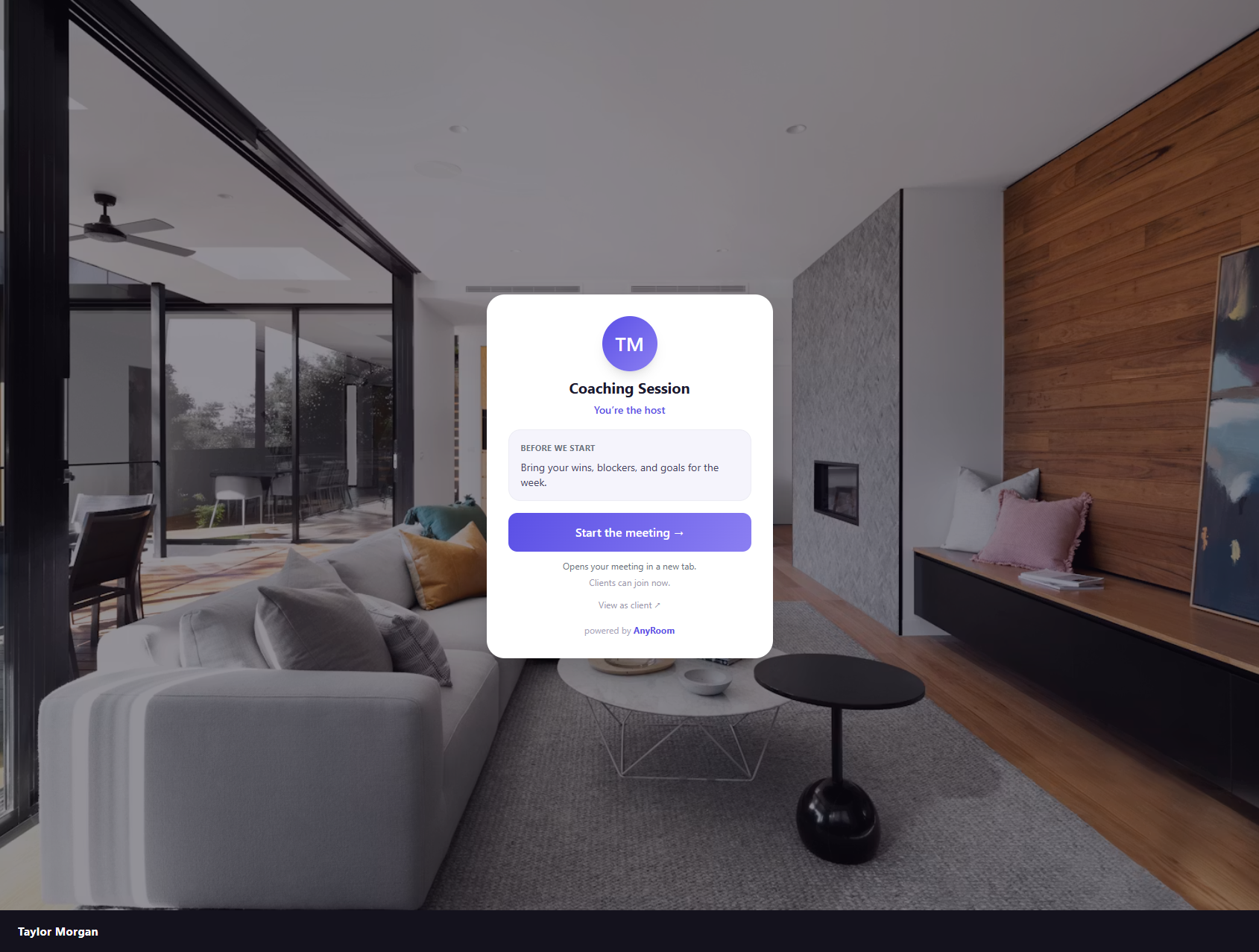
Open your meeting — you'll see "Start the meeting"
When *you* (signed in) open your own meeting page, you see a Start the meeting button where clients see Join. Click it and AnyRoom hands you straight to your meeting as the host.
2
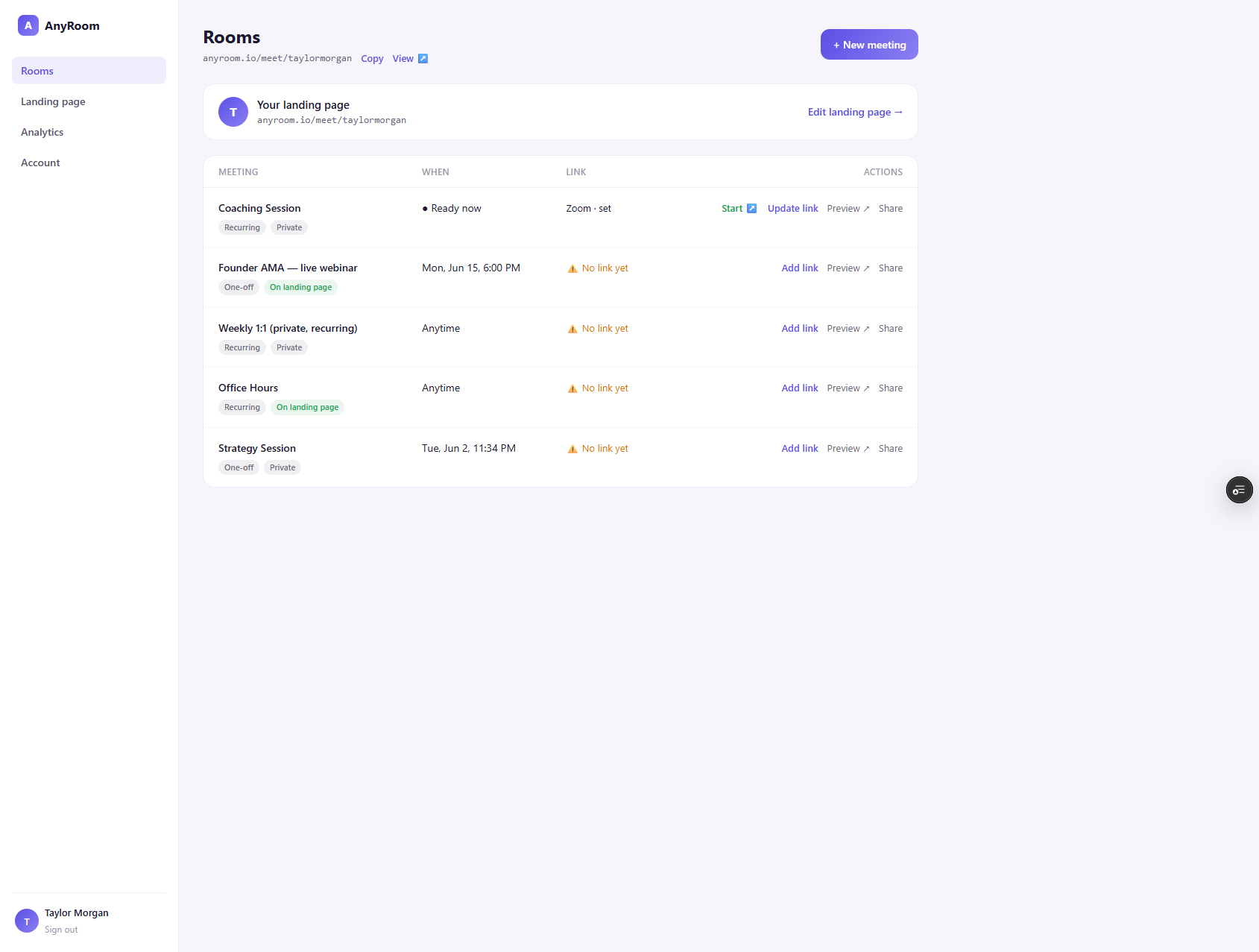
…or start from your dashboard
Each meeting with a link set has a Start ↗ action right in the dashboard. Same result — opens your meeting as host.
Do I have to open my video app every meeting?
You set up your link once and never make a new one per call — but you do still host each call in your video app (that part's unavoidable). What AnyRoom removes is everything *around* it: no hunting for where to start, no re-pasting links, and your client never touches a setup screen. As long as you're signed into your provider, Start drops you right into hosting.