Help · Meetings & meetings · 2 min read
Share & invite a client
You send one branded link — copy it and share it however you like.
What you share is one AnyRoom link — your branded meeting — never a raw zoom.us/j/… URL. Here's how to get it to your client.
1
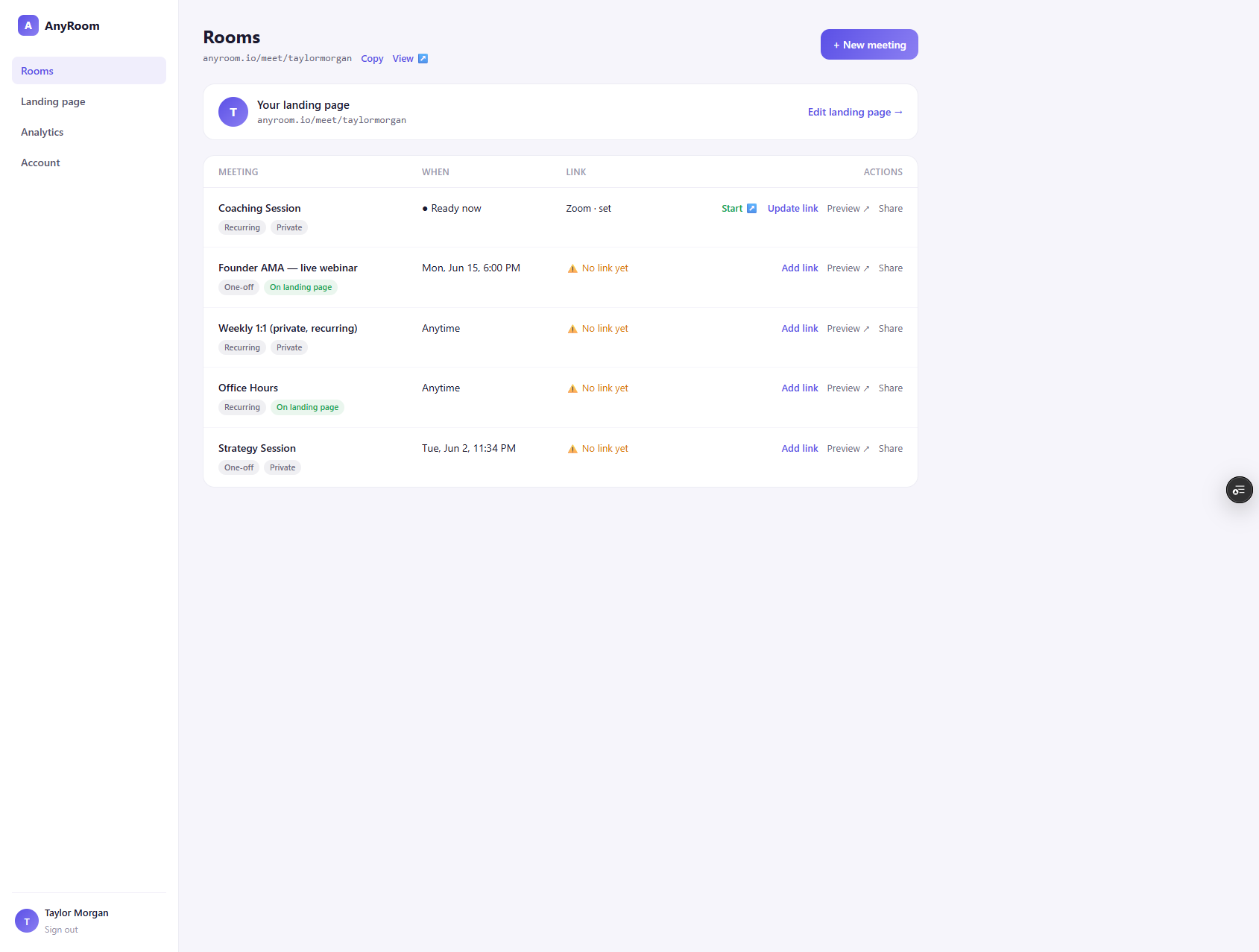
Copy your link
From your dashboard, use Copy (for your lobby) or Share on any meeting to copy its link to your clipboard.
2
Send it your way
Drop it into an email, text, or calendar invite. On a recurring meeting the same link works for every meeting — there's nothing new to send each time.
3
Or let clients find it on your lobby
Public sessions (office hours, a webinar) can appear on your lobby for anyone to join — see Your Lobby explained.
Coming soon
Add a client's email when you create a meeting and AnyRoom will send the invite and reminders for you. For now, share the link yourself.