Help · Set up your link · by provider · 2 min read
Set up your Webex Personal Meeting
Webex gives every account a permanent Personal Meeting link — even free.
Webex gives every account a permanent Personal Meeting — a link like yoursite.webex.com/meet/yourname that never changes.
1
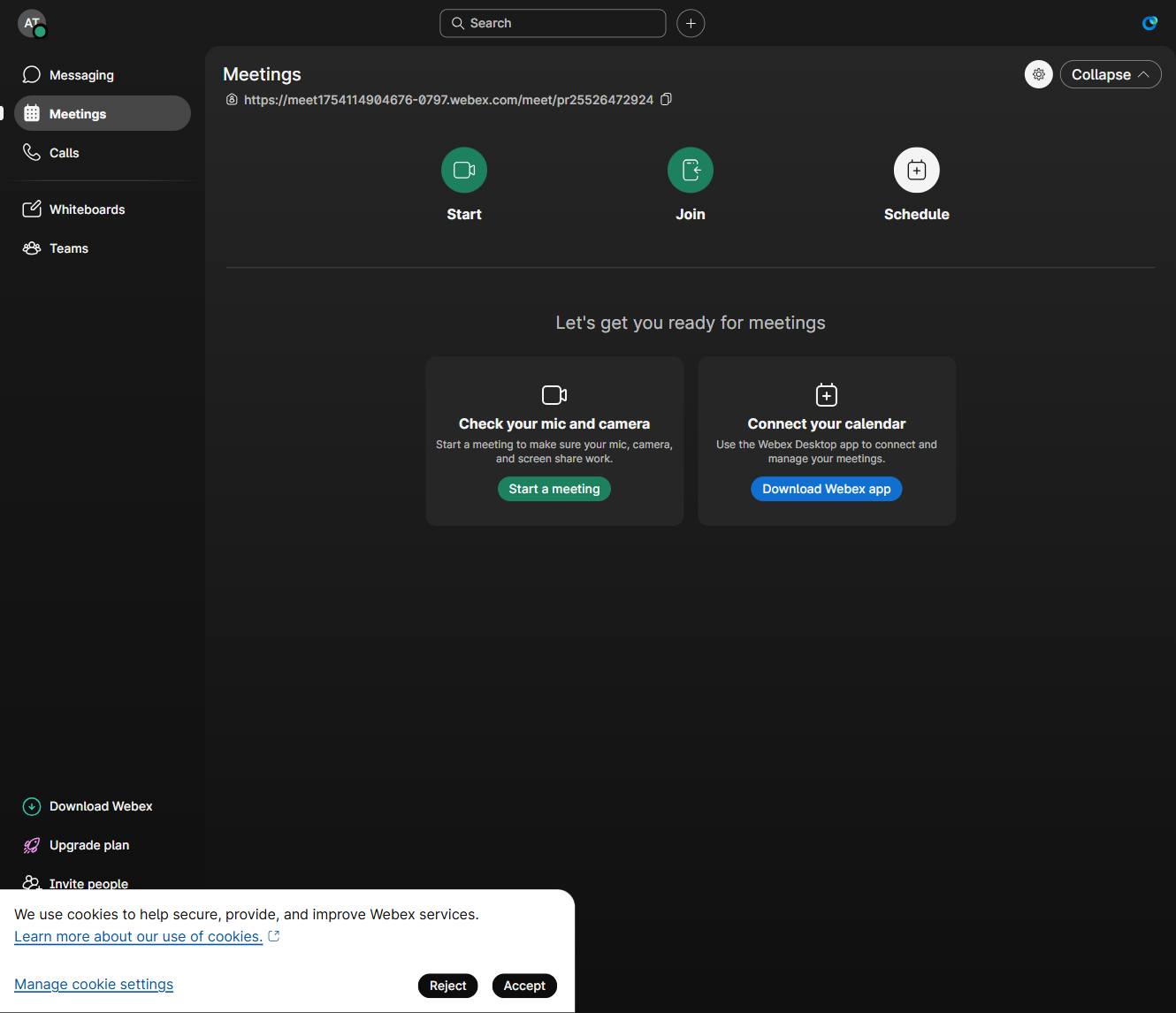
Copy your Personal Meeting link
In Webex, open Meetings — your Personal Meeting link is shown right at the top. Copy it.
2
Keep the lobby on
Make sure Lock / lobby is on so people wait to be let in (it's on by default).
3
Paste it into AnyRoom
Paste your Personal Meeting link into your meeting.
Good to know
A Personal Meeting is an always-open door — anyone with the link can arrive anytime, so keep the lobby on. Free Webex caps meetings at 40 min.