Help · Meetings & meetings · 2 min read
What your client sees
A branded page with a countdown, then one button — never a raw link.
When your client opens your link, here's their experience — start to finish.
1
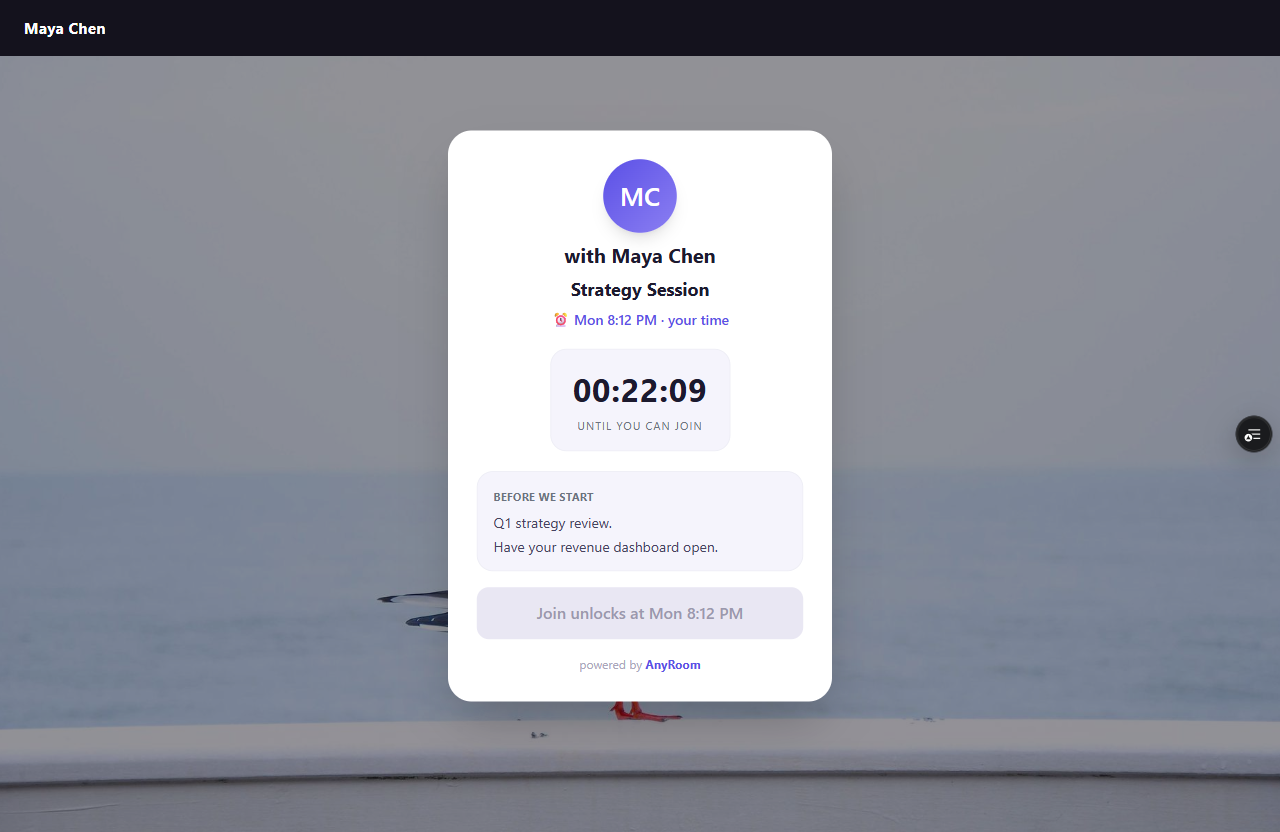
Before the meeting: your branded meeting
Your background, your name, the agenda, and a countdown. They can't join early — it unlocks at the start time — so no one wanders in.
2
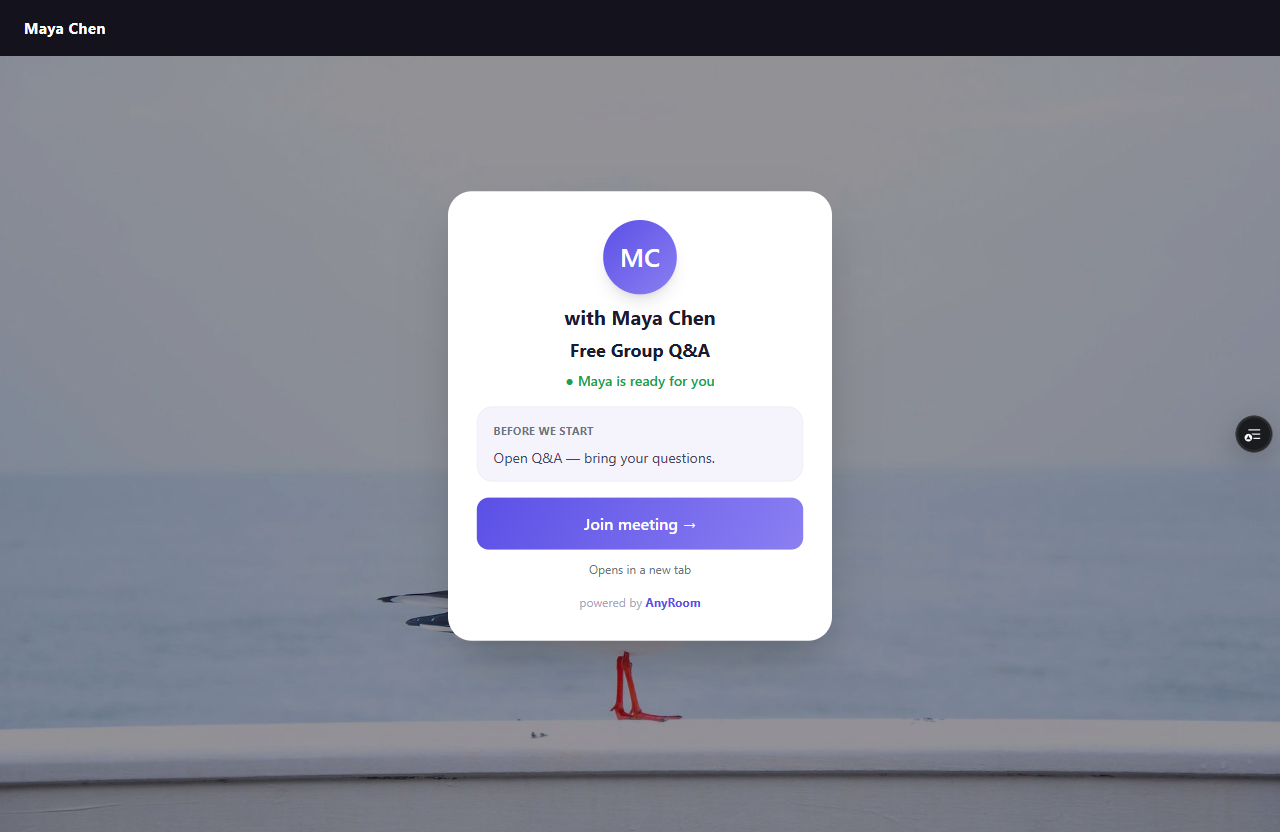
At start time: one button
The page flips to "[You] are ready for you" with a single Join meeting button. No app to install first (on Zoom), no passcode to hunt for.
3
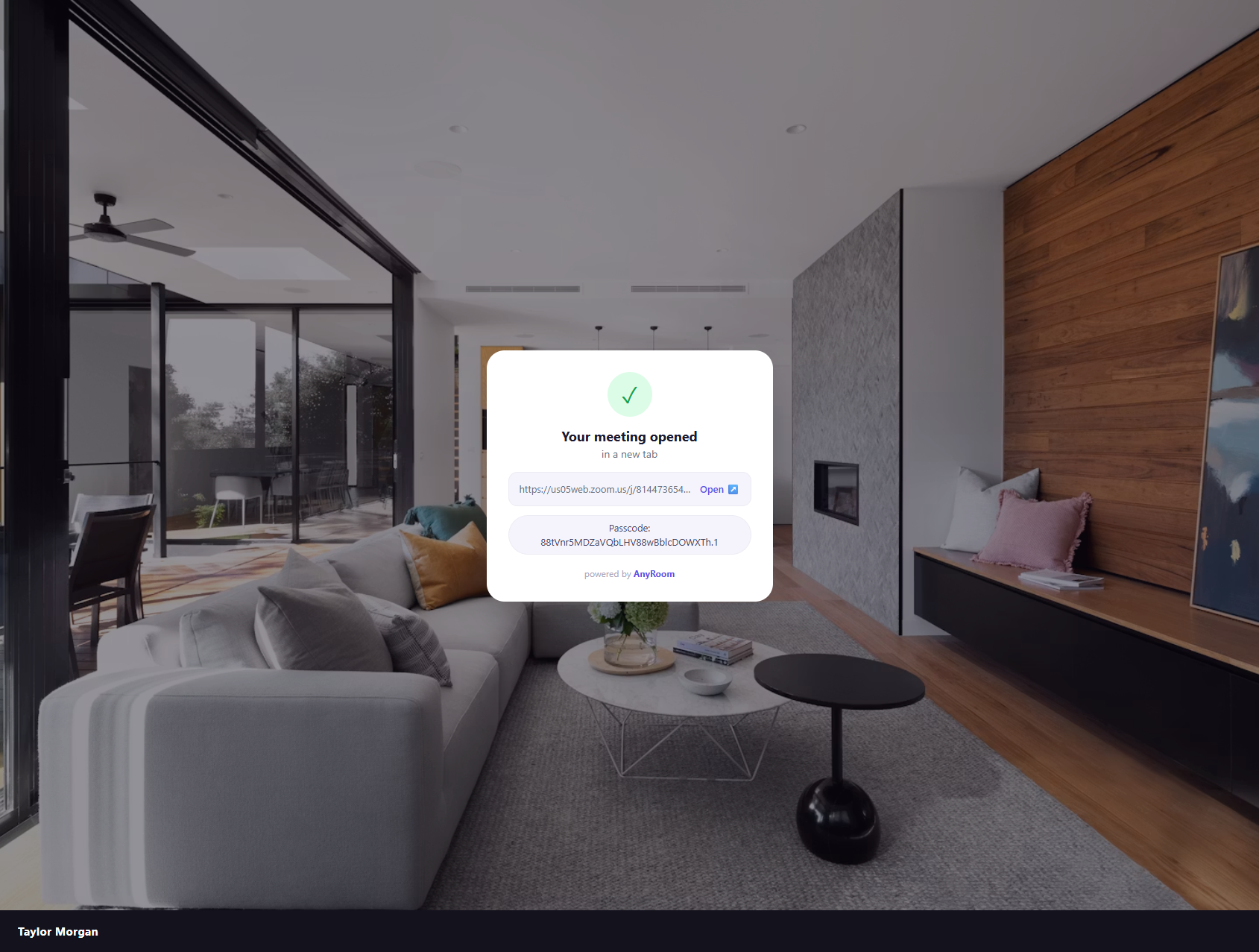
Handed to the call — passcode and all
Join opens the meeting in a new tab and your AnyRoom page surfaces the passcode automatically, so there's nothing to copy or remember.
Mobile reality
On a phone, only Zoom lets clients join in the browser with no app. Meet, Teams, Webex, and Zoho require their app on mobile — AnyRoom tells your client which to expect.