Help · Meetings & meetings · 2 min read
Update your meeting link
Swap the meeting link behind a meeting anytime — your AnyRoom link stays the same.
Your video-app link can change — you rotate it, it leaks, or you switch providers. When it does, update it on the meeting in one place. The AnyRoom link you've already shared never changes, so nothing breaks.
1
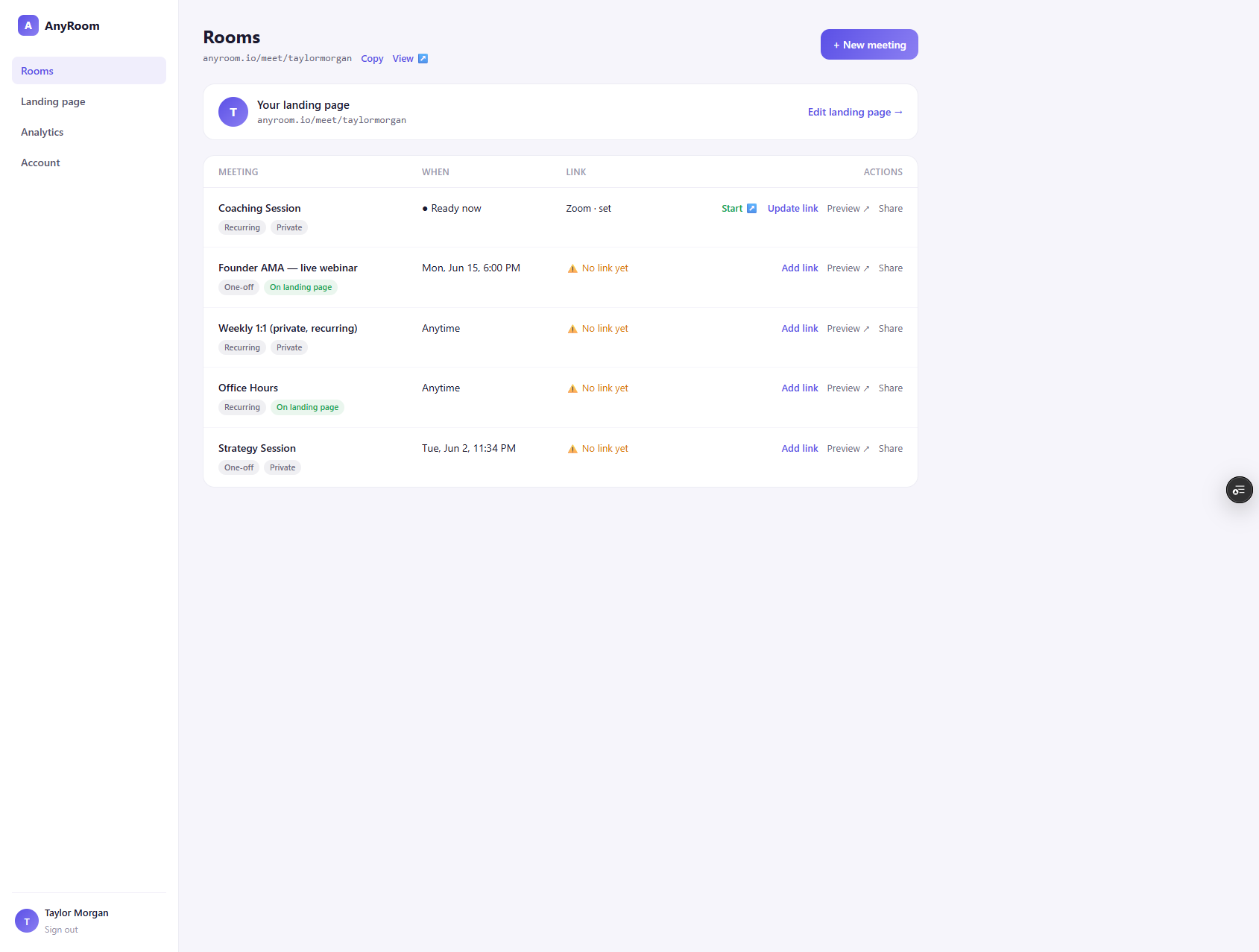
Hit "Update link" on the meeting
In your dashboard, use the meeting's Update link action, paste the new URL, and save. AnyRoom re-detects the provider and re-encrypts it.
2
That's it — nothing you've shared breaks
Your branded link and your clients' bookmarks are unchanged; the new meeting simply runs behind the same page from now on.
When to do this
A link leaked and you rotated it · you switched providers (say Zoom → Meet) · your video app gave you a fresh recurring link. Swapping it here is always safer than re-sending a new link to everyone.